- Open Hours: 9AM to 6PM: (Mon-Sat)
- care@mobisafar.com
- 0161-5015050 Join Us


Government Services registration is a starting point for individuals and businesses looking to access eligible digital services or explore opportunities in the digital-service sector. Whether you want to apply online for a particular service, become a government services agent, register as a retailer, or explore distributor opportunities, understanding the correct registration process is essential.
India has central, state, and local government departments that provide services through their official websites and authorised service channels. The registration procedure, required documents, eligibility criteria, and applicable fees vary according to the service and the responsible authority.
Mobisafar offers digital services across supported categories, including travel bookings and mobile recharge. If you are looking for government services registration through Mobisafar, contact the team to confirm its current service catalogue and whether the specific government-related service or business program you need is available.
Government services registration may refer to registering for a particular government facility, creating an account on an official portal, applying for an authorised service-centre program, or onboarding with a private provider that facilitates selected digital services.
The correct process depends on your objective. A citizen applying for a government service may need to use an official department's website, while a person seeking an agent or retailer opportunity may need to register with an authorised provider.
Before starting the registration process, check:
Always confirm the registration route before sharing personal documents or making payments. Register only through official or verified channels.
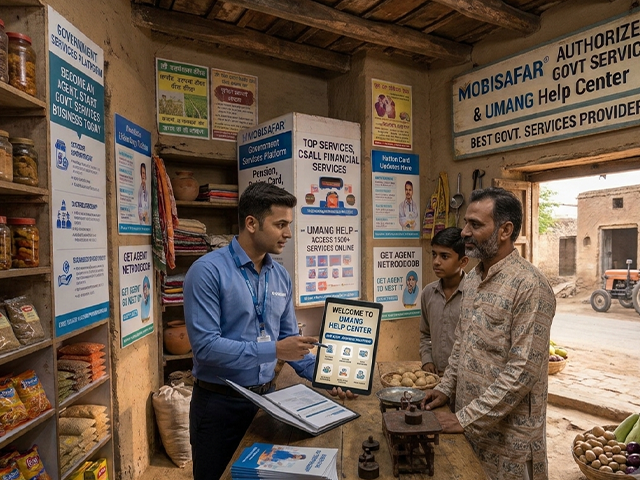
Government services registration online can make it easier to submit applications, provide information, and track requests where the relevant department or authorised provider supports an online process.
The online registration process varies by service. Some applications can be completed entirely online, while others may require document verification, an appointment, physical submission, or additional approval.
Determine whether you want to access a government facility for personal use or register as a business partner offering eligible digital services.
Visit the relevant government department's official website or contact a verified provider that is authorised to facilitate the service.
Review applicant requirements, location restrictions, business conditions, and any other criteria.
Collect the documents specified in the official checklist. Requirements may vary according to the service and applicant category.
Enter accurate details, upload documents where required, and review the application before submitting it.
Keep the acknowledgement, payment receipt, and application reference if provided.
Use the official tracking facility or contact the responsible authority for updates.
If you are interested in accessing a service through Mobisafar, contact the team first to confirm whether the specific service is currently available.
People searching for government services apply online generally want to understand where to submit an application and how to complete the process correctly.
The application route depends on the service. For certificates, registrations, licences, and other administrative requirements, applicants should follow the instructions provided by the responsible government department. For services facilitated by an authorised third-party provider, the provider should explain its role and any additional requirements.
An intermediary may assist with selected processes only where permitted. A third-party provider cannot guarantee approval of an application when the final decision rests with a government authority.
Government services agent registration may interest individuals who want to provide eligible digital services to customers through an authorised business arrangement.
Agent programs differ by provider and service category. Registration as a general digital-service agent does not automatically authorise an individual to provide every government service. The exact facilities available must be confirmed before onboarding.
Depending on the available program, potential applicants may include:
These categories are potential applicants, not a guarantee of eligibility for any particular program.
Depending on the provider's rules, an agent application may require:
Before registering, confirm the available services, eligibility criteria, applicable charges, verification procedure, and operating responsibilities.
If you are considering Mobisafar for an agent opportunity, contact the team to enquire about its current programs and confirm which services are included.
Government services retailer registration may be relevant to shop owners and operators who want to explore additional digital services for their customers.
A retailer's permitted services depend on the provider's program and the authorisation requirements associated with each service. Before registering, establish exactly which services are available and whether your business meets the relevant criteria.
Contact the provider to obtain details of its current retailer opportunities.
Confirm the specific government-related or digital service you intend to offer.
Request the official document checklist and eligibility criteria.
Check applicable registration charges, transaction fees, operational responsibilities, and restrictions.
Submit the required information through the approved channel.
Start offering services only after the provider confirms your registration and authorises the relevant service.
Retailers should evaluate customer demand, service availability, operating costs, support arrangements, and the provider's terms before making a business decision. They should also understand how customer information must be handled and which services require direct interaction with a government department.
Mobisafar can be contacted to learn about its available digital-service business programs. Confirm whether the service you intend to offer is included before completing registration.
Government services distributor registration may appeal to entrepreneurs and established businesses interested in exploring digital-service distribution or supporting a network of eligible retailers.
Distributor programs can involve responsibilities beyond those of an individual agent or retailer. Depending on the arrangement, these may include retailer onboarding, operational coordination, service support, or other business requirements.
Before applying, confirm the following:
Do not assume that a distributor arrangement for one digital service includes every government-related service.
If you are considering Mobisafar as a potential business partner, contact the team for details about its current distributor programs and request written confirmation of the services covered.
A government services business opportunity may appeal to entrepreneurs who want to explore the digital-service sector and help customers access supported online facilities. The suitability of a business depends on actual service availability, demand, required investment, operational responsibilities, and the terms of the authorised provider.
Potential applicants may include existing retailers, digital-service outlet owners, entrepreneurs, and eligible business operators seeking to expand their offerings.
Avoid relying on unverified earnings estimates. Business results depend on the services available, customer demand, operating costs, and the applicable commercial arrangement.
If you want to start a government services business, begin by identifying the services you can legitimately offer and the registration route required for each one.
Decide whether you want to operate as an agent, retailer, distributor, or another eligible business partner under an authorised program.
Create a list of the specific services you intend to provide. Confirm availability and any required permissions for each service.
Compare providers based on service availability, onboarding requirements, support, transparency, and written commercial terms.
Obtain the official checklist and prepare the required personal or business documents. Submit them only through verified registration channels.
Understand all applicable fees, responsibilities, restrictions, and conditions before committing to a program.
Follow the approved application process and retain the official acknowledgement or approval confirmation.
Offer only the services enabled for your account and comply with the provider's current terms and the relevant service rules.
Mobisafar offers digital services in supported categories, including travel bookings and mobile recharge. Customers and business owners can contact the company to learn about its current service offerings and available business programs.
Reasons to enquire include:
The availability of a specific government service or government-service business program must be confirmed directly with Mobisafar. Do not assume that all government registrations or facilities are supported.
For information about supported digital services and potential business opportunities, contact Mobisafar through its official channels.
When contacting the team, mention whether you need government services registration online, agent registration, retailer registration, distributor registration, or information about starting a digital-service business. Ask for the current service list, eligibility criteria, documentation requirements, and applicable terms.
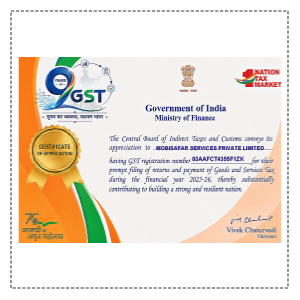
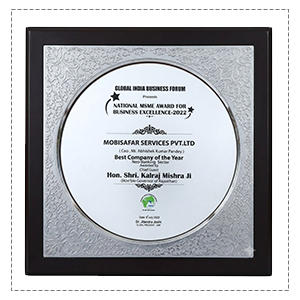
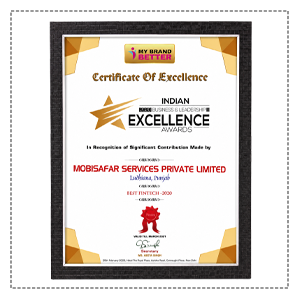
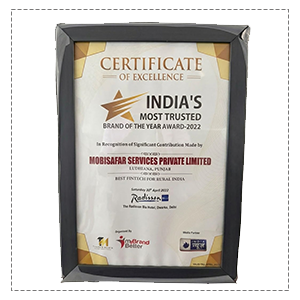
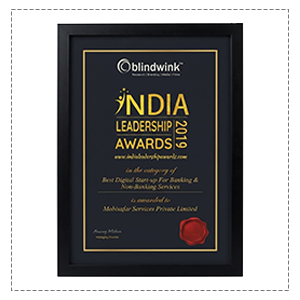
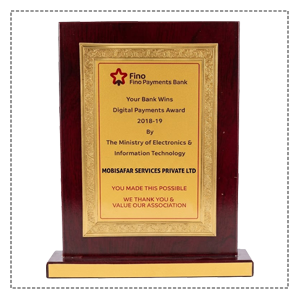
Honored to be recognized for excellence, innovation and impactful contributions.










Clear registration information helps me understand the application process before getting started.
I prefer providers that explain eligibility, documentation, and charges clearly.
Knowing which services are available makes it easier to choose the right digital-service platform.
A straightforward online application process makes service requirements easier to understand.
Retailers need clear information about registration and the services they can offer.
Transparent terms and proper application records are important when choosing a provider.
I would verify authorisation and service availability before investing in a business opportunity.
Clear onboarding steps help business owners understand their responsibilities.
Checking eligibility and documents in advance can make the registration process more organised.
Detailed business information helps entrepreneurs evaluate digital-service opportunities.
Our Common Queries (FAQs) section is designed for provide quick answers to the most frequently asked questions.
Government services registration online involves identifying the correct service, checking eligibility, preparing the required documents, and applying through an official or authorised channel. Agent, retailer, and distributor registration follow separate requirements depending on the provider and the services being offered.
Mobisafar offers digital services in supported categories and can be contacted for information about its current offerings and business programs. If you want to start a government services business or register as a service partner, confirm the availability and authorisation of the specific services before applying.
Contact Mobisafar: https://mobisafar.com/ | 0161-5015050 | care@mobisafar.com
